
Tech
NFTRandomize: The Essential NFT Tool for Creators and Digital Artists

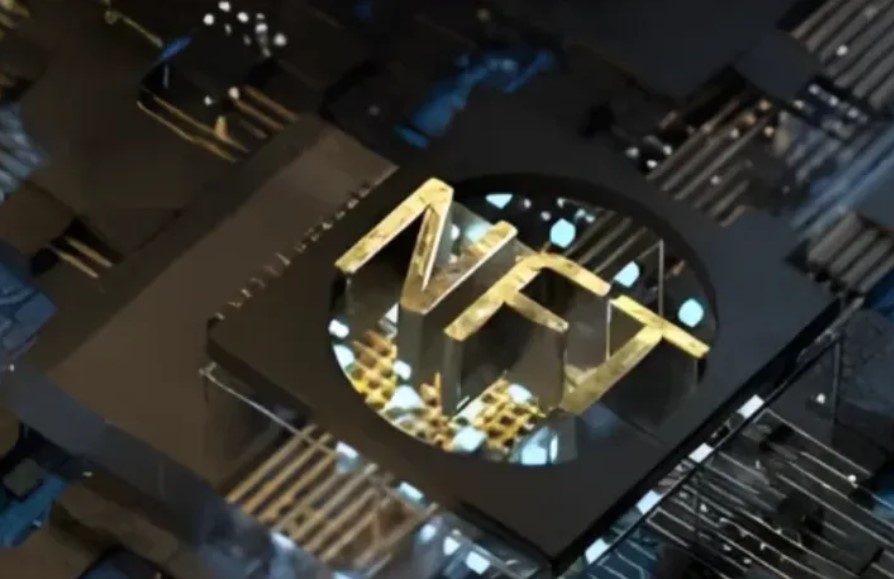
As Non-Fungible Tokens (NFTs) continue to reshape digital ownership, artists, developers, and brands are looking for efficient tools to create, manage, and scale their NFT collections. Among the most innovative solutions on the market is NFTRandomize—a powerful plugin that streamlines the entire NFT creation process while maintaining uniqueness, artistic integrity, and rarity-based value.
In this comprehensive guide, we’ll explore the features, benefits, and real-world applications of NFTRandomize, offering a step-by-step breakdown for artists and developers aiming to stand out in the growing NFT space.
What is NFTRandomize?
NFTRandomize is a specialized plugin designed for Cinema4D (versions R23 to R26) that enables digital artists to generate unique NFTs by automatically combining various visual elements. It brings automation and control to the NFT production workflow, allowing creators to easily set attribute rarities, exclude incompatible combinations, and automatically produce metadata for NFT marketplaces.
With the NFT industry becoming increasingly competitive, tools like NFTRandomize are not just helpful—they’re necessary for artists aiming to build scalable, collectible, and high-quality NFT projects.
Key Features of NFTRandomize
Attribute Randomization
The cornerstone feature of NFTRandomize is attribute randomization, which automates the creation of NFTs with unique trait combinations. Artists simply design individual elements—such as characters, backgrounds, accessories, or colors—and NFTRandomize assembles them into distinctive outputs.
This saves countless hours of manual design, especially when creating collections with hundreds or thousands of NFTs.
Rarity Settings
Rarity is critical in NFT valuation, and NFTRandomize gives full control over how often each trait appears. You can assign probabilities to attributes, making some more common and others ultra-rare.
This feature is crucial for driving collector interest, as rarity often correlates with value in NFT marketplaces like OpenSea, Rarible, and Magic Eden.
Exclusion of Specific Combinations
Visual coherence is important for professional-grade NFT collections. NFTRandomize lets you define exclusion rules, preventing incompatible or aesthetically unappealing combinations.
Metadata Generation
Each NFT created with NFTRandomize comes with automatically generated JSON metadata, including trait details, rarity scores, and custom fields. This metadata is formatted to meet the standards of most NFT platforms, making it easy to upload and mint your assets.
Practical Applications of NFTRandomize
Art Collections
Artists launching digital art series can use NFTRandomize to scale efficiently while retaining creative control. It’s perfect for generative art projects where uniqueness and scarcity drive collector interest.
Gaming Assets
The gaming industry has embraced NFTs as tradable in-game items like characters, weapons, and skins. NFTRandomize allows developers to randomize and assign rarity to gaming assets, creating value-based ecosystems within games.
Virtual Fashion
Virtual clothing is gaining momentum in the metaverse and digital fashion sectors. Designers can use NFTRandomize to produce unique outfits, patterns, and accessories for avatars.
Collectibles
The digital collectibles market thrives on diversity and exclusivity. NFTRandomize helps creators manage both by combining design control with randomness and rarity.
User Experience and Community Feedback
NFTRandomize has quickly gained popularity among artists and developers for its ease of use and robust features. According to community forums, online reviews, and testimonials:
- Artists find the interface intuitive and user-friendly
- Developers appreciate the efficiency in bulk generation
- Collectors enjoy the diverse and unique outputs
Success Stories with NFTRandomize
Alex Rivera’s 10,000-Piece Collection
Well-known digital artist Alex Rivera used NFTRandomize to create a generative collection consisting of 10,000 unique digital characters. Rivera leveraged attribute randomization and rarity to build hype and demand. The collection sold out within hours of launch, reinforcing NFTRandomize’s value as a professional-grade tool.
Gaming Studio Asset Generation
A mid-sized game development studio integrated NFTRandomize into their asset pipeline to generate thousands of weapons and armor pieces for a blockchain-based RPG. The result was a dynamic in-game economy where items could be traded as NFTs, and their unique attributes influenced gameplay.
Virtual Fashion Collection by Lisa Kwan
Digital fashion designer Lisa Kwan used NFTRandomize to build a collection of 3,000 unique virtual outfits, combining patterns, textures, and color palettes. The rarity algorithm made certain outfits highly collectible, resulting in a successful launch and strong aftermarket activity.
Getting Started with NFTRandomize
Installation and Setup
To install NFTRandomize in Cinema4D, follow these simple steps:
- Download the Plugin: Obtain the latest version from the official website or a verified marketplace.
- Unpack and Install: Extract the files and move the plugin folder into Cinema4D’s plugin directory.
- Restart Cinema4D: Launch the software, and the plugin should be available in the menu.
- Configure Defaults: Customize your settings for attributes, rarity, and exclusions before generating your first set.
Creating Your First NFT Collection
- Design Elements: Create layered designs (e.g., base, accessories, effects) in Cinema4D.
- Set Attribute Categories: Organize your design elements into folders for NFTRandomize to recognize.
- Adjust Rarity Settings: Assign percentage chances to each trait for balanced distribution.
- Define Exclusions: Manually enter conflicting attribute combinations to avoid undesired outputs.
- Generate Assets: Click “Generate” to begin the automated creation process.
- Export Metadata: Save metadata files in the standard JSON format for seamless upload to marketplaces.
- List Your Collection: Upload your image and metadata files to platforms like OpenSea, Rarible, or Foundation.
Advantages of Using NFTRandomize
| Feature | Benefit |
|---|---|
| Attribute Randomization | Saves time and increases uniqueness |
| Rarity Control | Drives collector interest and increases value |
| Metadata Automation | Simplifies NFT listing on marketplaces |
| Exclusion Settings | Maintains artistic vision and brand identity |
| Cinema4D Compatibility | Seamlessly integrates with a leading 3D design platform |
Challenges and Considerations
While NFTRandomize is powerful, it’s essential to be mindful of:
- Learning Curve: Beginners to Cinema4D may need time to fully utilize the plugin.
- System Requirements: Large-scale projects can be resource-intensive.
- Quality vs Quantity: Avoid over-generating NFTs without clear artistic or thematic direction.
Artists should strike a balance between scalability and artistic integrity, ensuring that every generated NFT aligns with their brand and vision.
Conclusion
NFTRandomize is more than just a plugin—it’s a transformative tool for digital artists, designers, and developers in the NFT space. With its robust features like attribute randomization, rarity configuration, metadata generation, and combination exclusions, it empowers creators to efficiently produce high-quality, unique NFT collections.
Whether you’re launching your first collection or scaling a professional NFT project, NFTRandomize can save you time, improve your creative output, and enhance your market potential. As the NFT market continues to grow, having the right tools in your creative arsenal is key—and NFTRandomize is a top contender.
Frequently Asked Questions (FAQs)
What is NFTRandomize used for?
NFTRandomize is a Cinema4D plugin used to generate unique NFTs through attribute randomization, rarity settings, and automatic metadata creation.
Can I use NFTRandomize without technical experience?
Basic knowledge of Cinema4D is required, but the plugin itself is user-friendly and well-documented.
Is metadata generated automatically?
Yes, NFTRandomize produces metadata in JSON format, ready for upload to most NFT marketplaces.
Does it work with other platforms besides Cinema4D?
Currently, NFTRandomize is designed for Cinema4D R23 to R26. Artists using other platforms may need to export designs for use in C4D.
Is NFTRandomize free to use?
Pricing may vary depending on licensing and where it’s purchased. Always download from the official source or authorized marketplaces.
More Info And Buzz Visit: Dodge Buzz

Tren Twins Height: Introduction and Popularity

Johnny Depp Net Worth: Earnings Breakdown and Career Highlights

Ricki Lake Net Worth: How She Built Her Fortune Over the Years

Taj Cross Age: Everything You Need to Know About the Rising Star

Nathan Fillion Net Worth: How He Built His Fortune Over Time

Nicholas Hoult Wife: Relationship History and Current Status

Jordan C. Brown Net Worth: A Comprehensive Look at His Career, Wealth, and Influence

Matthew Gray Gubler Net Worth: How He Built His Fortune Over the Years

Mandy Patinkin Wife: Love, Family, and Marriage Details

Sam Sulek Net Worth: How the YouTube Star Built His Digital Empire
Tren Twins Height: Introduction and Popularity
Johnny Depp Net Worth: Earnings Breakdown and Career Highlights
Ricki Lake Net Worth: How She Built Her Fortune Over the Years
Taj Cross Age: Everything You Need to Know About the Rising Star
Nathan Fillion Net Worth: How He Built His Fortune Over Time
Nicholas Hoult Wife: Relationship History and Current Status
Jordan C. Brown Net Worth: A Comprehensive Look at His Career, Wealth, and Influence
Matthew Gray Gubler Net Worth: How He Built His Fortune Over the Years
Mandy Patinkin Wife: Love, Family, and Marriage Details
Sam Sulek Net Worth: How the YouTube Star Built His Digital Empire
-

 Celebrity1 year ago
Who Is Steve Cena? All About John Cena’s Brother and His Life
-

 Celebrity12 months ago
Who Is Drew Pritchard? TV Presenter, Antique Dealer & Rebecca Pritchard’s Ex-Husband
-

 Celebrity1 year ago
Who is Nadia Farmiga? All You Need to Know About Vera Farmiga’s Sister
-

 Uncategorized1 year ago
Who is Janet Gayle? All About Gary Burghoff’s Ex-Wife